If you’re a manufacturer, the only marketing metrics that truly matter are the ones that connect visibility to buying intent to RFQs to opportunities and finally revenue. Everything else is supporting evidence. The goal isn’t more traffic, it’s more qualified buying progress that sales and leadership can agree on.
Why manufacturing marketing measurement breaks
Manufacturing measurement fails for predictable reasons:
- Offline conversions: calls, plant tours, rep conversations, and quote activity don’t always get tracked back to marketing.
- Long sales cycles: weeks or months of research happen before an RFQ and the winning touchpoint is rarely the first one.
- Distributor or rep deals: revenue may close through partners, making attribution feel impossible.
- Multi-stakeholder buying: engineers, ops, and procurement engage with different assets at different times.
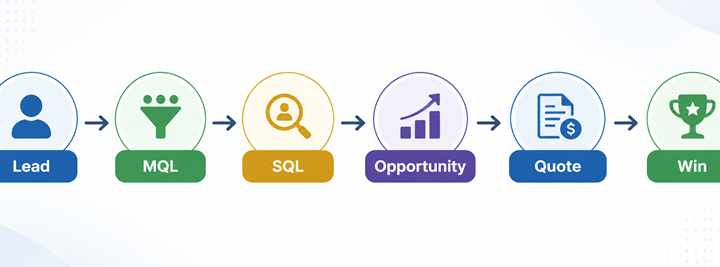
- Inconsistent definitions: “lead,” “MQL,” and “SQL” mean different things to marketing and sales.
Fix: Build a simple, shared metrics stack with clear definitions, then instrument it with GA4, CRM and basic attribution rules so you can measure what executives actually care about: pipeline quality and contribution.
What marketing metrics matter
A manufacturing-ready measurement system answers three questions:
- Are we visible for the right intent?
- Are buyers taking the right next steps?
- Is marketing creating a qualified pipeline?
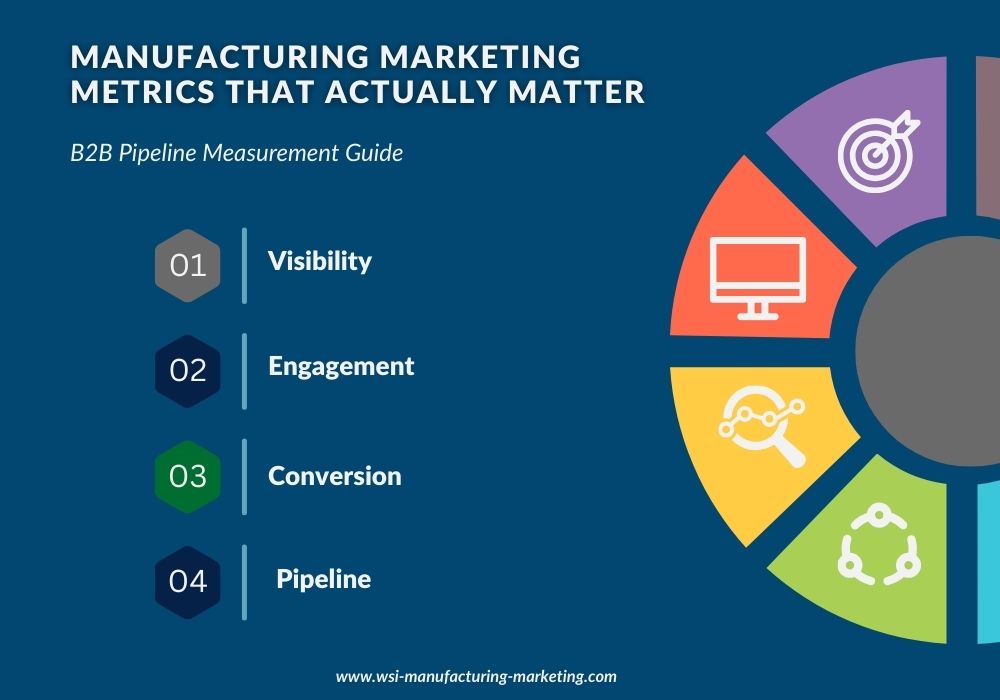
Build a simple metrics stack
1) Visibility metrics (demand capture readiness)
Use these to prove you’re showing up for the right searches.
- Search impressions for ICP search terms (application, industry and/or product family)
- Rankings for priority terms
- Share of voice (your presence vs key competitors on priority topics)
What to segment by
- Industry
- Product line / solution family
- Application intent
2) Engagement metrics (buying intent signals)
This is where you separate curiosity from evaluation.
- Key page paths (example: application page → spec explainer → CAD library → RFQ)
- Return visitors to product or application pages
- Downloads
- Time-to-next-step (how quickly visitors reach a conversion action)
3) Conversion metrics (the actions that create sales conversations)
Track conversions as a funnel, not a single number.
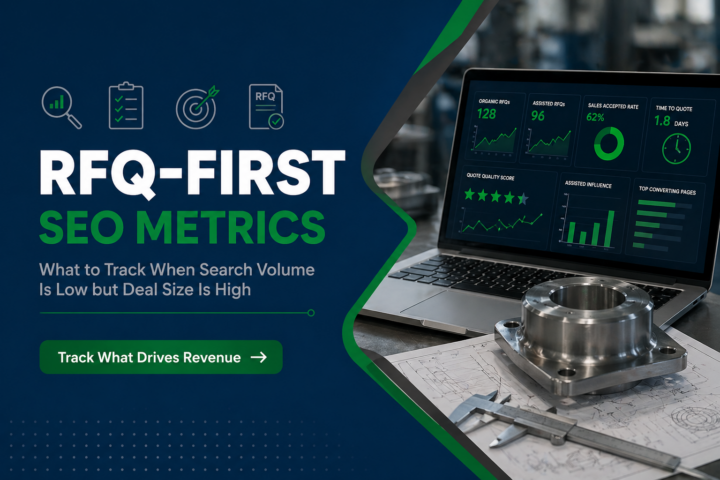
- RFQ starts and RFQ completes
- Call clicks and tracked calls (where applicable)
- Booked meetings / “Talk to an engineer” consults
- Form quality (fields completed, fit, completeness, and intent)
Conversion quality > conversion quantity
A smaller number of high-intent RFQs beats a flood of generic contact forms that sales can’t qualify.
4) Pipeline metrics (where exec buy-in happens)
These are the metrics that sales leaders and owners care about.
- Agreed MQL and SQL definitions
- MQL to SQL conversion rate
- Opportunity creation rate
- Velocity (time from first touch to RFQ to opportunity to close)
- Win rate by segment
- Source and assist (first touch, last touch, and assists)
Manufacturing reality: In long cycles, marketing often assists more than it sources. That’s still valuable, if you track it.
Practical tracking setup: GA4, CRM, and basic attribution rules
Step 1: Make conversions measurable in GA4
At minimum, configure events for:
- RFQ start and submit
- Key forms
- Click-to-call (if meaningful in your market)
- Downloads (ideally served from trackable pages)
Step 2: Align CRM fields to buying intent
In your CRM, add fields that help sales qualify and help marketing report:
- Product line / solution
- Industry/vertical
- Application/use case
- Stakeholder role
- Urgency/timeline
- Channel path (direct, rep, distributor)
Step 3: Establish basic attribution rules
You don’t need a perfect model to get directional truth.
Start with:
- First touch: what originally brought them in (SEO, paid, referral, LinkedIn)
- Last touch: what triggered the conversion (RFQ page, CAD request, consult form)
- Assist touches: key content engaged within the journey (application page, spec explainer, case study)
For distributor deals:
Track “distributor inquiry” as a conversion type and record:
- distributor/partner name
- territory
- product line
- campaign/source
Then report on inquiries and influenced pipeline even if closed revenue is indirect.
Step 4: Put follow-up into the system
Measurement fails when follow-up isn’t operationalized:
- SLA for speed-to-lead
- Lead routing rules by product/territory/channel
- Automated nurture for non-sales-ready leads
Sample MQL/SQL definitions for manufacturing (steal these)
Example MQL (Marketing Qualified Lead)
A lead becomes an MQL when it meets fit and intent.
Fit signals
- Industry matches ICP OR target account list
- Geography/territory serviceable
- Product line match
Intent signals
- CAD/spec/compliance download plus key page path to product/application pages
- “Talk to an engineer” request with application details
- RFQ start with minimum required fields completed
Example SQL (Sales Qualified Lead / RFQ-ready)
A lead becomes an SQL when sales confirms:
- Application is feasible
- Stakeholder is relevant
- Timeline and next step are clear
Rule that helps alignment:
If sales wouldn’t call it an SQL, marketing shouldn’t report it as one.
UX & Trust: the hidden multiplier on conversion metrics
Industrial buyers don’t convert when they can’t validate trust quickly. Your conversion paths work best when your site communicates:
- Certifications and compliance (where relevant)
- QA process and inspection capabilities
- Lead time ranges and what drives variability
- Clear service model and support coverage
- Proof assets (case studies, test summaries, process credibility)
Monthly review template (what to stop/start/scale)
Use this to run a tight measurement to optimization cadence.
1) What changed (last 30 days)
- Top 5 pages driving conversions
- Top 5 channels by assisted conversions
- Biggest conversion drop-offs
2) What’s working (scale)
- Topics with rising rankings and conversion actions
- Content paths that show repeat visits and downloads
- Segments with strong MQL to SQL and win rate
3) What’s not working (stop or fix)
- High-traffic pages with weak next steps
- Paid campaigns landing on low-trust pages
- Forms that generate low-quality submissions
4) What we’ll change next month (start)
- 1–2 conversion path fixes
- 2–4 content upgrades
- 1 distribution improvement (LinkedIn/email amplification or retargeting segment)
5) KPI scoreboard (exec-ready)
- RFQ starts & completes
- Qualified consult requests
- MQL→SQL
- Opportunities created/influenced
- Velocity and win rate by segment
Common failure modes (and how to avoid them)
- Vanity traffic wins the meeting: Focus reporting on RFQs, consults, and opportunity creation.
- No shared definitions: Lock MQL/SQL criteria with sales and stop debating every month.
- Broken conversion paths: Fix trust and UX before spending more on paid.
- No follow-up system: Speed-to-lead and routing determine whether marketing works.
- Attribution paralysis: Track first/last/assist and move forward.
If you’re getting traffic but not enough RFQs, or if sales says the “leads aren’t good”, your fastest win is usually tightening conversion paths, trust signals, and intent routing.
Request a FREE Conversion Rate Optimization (CRO) analysis to identify leaks in your RFQ/lead flow.