Manufacturing buyers want to self-educate, validate technical fit, and reduce risk, often across several decision makers, before they ever want to commit. The catch: 73% of B2B buyers actively avoid suppliers who send irrelevant outreach, and 61% prefer an overall rep-free buying experience. That’s why marketing automation only works in manufacturing when it’s built on segmentation, value, and timing, not throwing something against the wall until it sticks.
What is marketing automation?
Marketing automation is the system that uses CRM and behavioral triggers to deliver relevant content and follow-up based on who the buyer is, what they’re researching, and where they are in the buying journey. Done right, it creates a unified view of engagement and routes sales-ready leads with context.
The goal isn’t “more emails.”
The goal is measurable buying progress: more qualified RFQs, more meetings with the right stakeholders, and higher pipeline velocity.
When automation helps in manufacturing
Automation helps when:
- You have multiple stakeholders consuming different assets at different times.
- Your sales cycle is long and non-linear
- Your team needs consistent follow-up and clean handoffs
- You have valuable technical content that should be delivered based on intent
Automation hurts when:
- Your segmentation is weak
- Your forms don’t capture enough context
- Sales doesn’t follow up
- You automate around unclear positioning, missing proof, or broken conversion paths.
Irrelevant outreach doesn’t just get ignored, it damages relationships.
Segmentation rules that mirror manufacturing fundamentals
If you want automation without annoyance, your segmentation must reflect how manufacturers actually sell.
Minimum viable segmentation
- Ideal Customer Profile (ICP)
- Product line
- Application
- Stakeholder role
- Buying stage
If you can’t answer “why are they on our list?” and “what are they trying to do?” DON’T AUTOMATE!
Data you typically need to capture
- Industry or vertical
- Product family solution
- Application
- Role
- Timeline/urgency (optional but helpful)
- Channel path (direct vs distributor vs rep territory)
Nurture automations that work in manufacturing
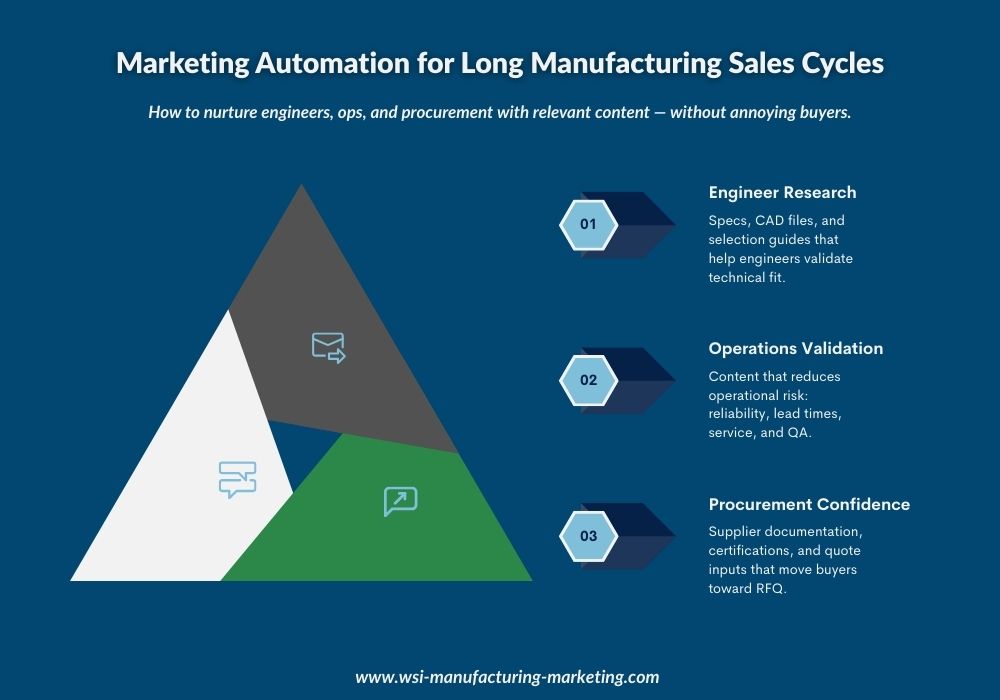
These three inbound automations are work because they map to real buying jobs, not marketing content calendars.
Spec confidence nurture
Who it’s for: engineers evaluating fit and constraints
What it delivers: selection help, specifications, proof, and next-step validation
Sequence spine example
- Day 0: Requested asset and “How to use this spec/CAD set”
- Day 3: Selection checklist and common spec mistakes
- Day 7: Application note, constraints or tradeoffs
- Day 14: Proof (test summary or case example)
- Day 21: “Talk to an engineer” consult with a clear agenda
Risk reduction nurture
Who it’s for: operations and maintenance leaders managing uptime and implementation risk
What it delivers: lead times, QA process, service model, reliability proof
Sequence spine example
- Day 0: Maintenance or service overview and onboarding guidance
- Day 5: QA, inspection, and process credibility (what happens in your facility)
- Day 12: Lead-time reality and what drives variability
- Day 20: Reliability proof and troubleshooting FAQ
- Day 30: Implementation consult (what to expect)
Comparison nurture
Who it’s for: procurement and buying committees narrowing options
What it delivers: supplier confidence, value logic and quote readiness
Sequence spine example
- Day 0: Supplier packet: certs, compliance, QA overview, traceability
- Day 7: Quote inputs checklist
- Day 14: Comparison guide
- Day 21: Warranty or service response and delivery expectations
- Day 28: RFQ-ready call-to-action with the right fields
Sales alignment essentials: Where most programs fail
Automation succeeds or fails on governance:
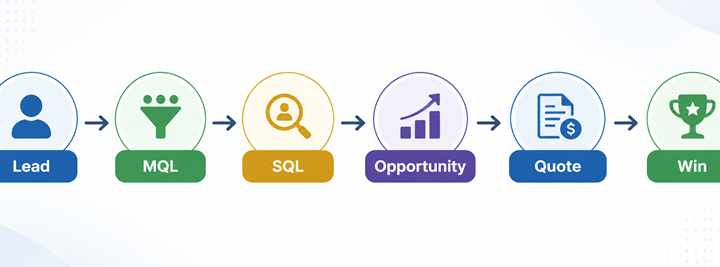
- Lead definitions: what counts as MQL vs SQL (and who decides)
- SLAs: speed-to-lead rules by intent (RFQ vs content download)
- Handoff rules: what gets routed to sales vs what stays in nurture
- Feedback loops: why leads were accepted/rejected, and how routing/content changes
Salesforce calls out the usual blockers: bad data or poor segmentation and lack of marketing-sales alignment.
Sales-ready signals you can actually trust
Use behavior that indicates evaluation, not top of the funnel curiosity:
- Repeat visits to product or application pages within 7–14 days
- Views of spec, CAD, or compliance libraries (especially multiple assets)
- Visits to pricing, quote, RFQ pages, or distributor locator
- Engagement with case studies tied to their industry or application
- Return visits from a known account with multiple stakeholders engaging
Pair these signals with fit before triggering aggressive sales outreach.
Practical and non-annoying workflows
Below are three workflow patterns you can implement in most platforms.
RFQ follow-up sequence for speed and clarity
Trigger: RFQ submitted
Goal: confirm receipt, reduce missing info, book the right next step fast
Flow
- Immediate email: confirmation, timeline, and “what happens next”
- Create CRM task: assigned a rep and SLA
- If required fields missing: automated “RFQ completion” email and a short form link
- Day 2: Preparation pack: spec checklist or what we need to quote accurately
- Day 5: If no reply: send a light-touch reminder and offer engineer consult
Exit criteria: quote issued, meeting booked, or disqualified with reason code.
Dormant lead reactivation
Trigger: no engagement for 90–180 days (adjust this by your sales cycle)
Goal: re-open evaluation without creating backlash
Flow
- Email #1: new resource relevant to their segment
- Email #2: common pitfalls checklist
- Email #3: proof point and “if you’re still evaluating, here’s the fastest path”
- If engagement resumes: move to the appropriate nurture stream
- If no engagement: reduce frequency and suppress from promotional sends
NetSuite emphasizes aligning content, timing, and channels with personas and funnel stages.
Trade show scan
Trigger: badge scan, import or event tag
Goal: convert event interest into scheduled meetings and qualified next steps
Flow
- Day 0: “Great to meet you” and the exact assets discussed
- Branch by role:
- spec confidence stream
- risk reduction stream
- supplier packet stream
- Day 3: meeting offer with 2–3 specific agenda options
- Day 10: retargeting audience added (event attendees) with one high-value asset
- Sales task created if high-fit and high-intent behavior appears
Example email sequence map
Fit
- Subject ideas: “Spec checklist for [application]”, “Selection guide: avoid common tolerance issues”
- Primary CTA: Download spec asset, Request CAD or Talk to an engineer
Risk
- Subject ideas: “Lead time drivers and how to plan around them”, “Maintenance & service expectations”
- Primary CTA: Service or QA overview, Reliability proof or Implementation consult
Cost & Supplier Confidence
- Subject ideas: “Supplier documentation packet”, “Quote inputs checklist for faster turnaround”
- Primary CTA: Supplier packet, Quote checklist or RFQ-ready call
Tone rule: Every email should earn its keep with one clear next step. If it doesn’t reduce risk or increase confidence, don’t send it.
Measurement that executives and sales leaders will accept
Skip vanity email metrics as “success.” Use them as diagnostics. Measure outcomes:
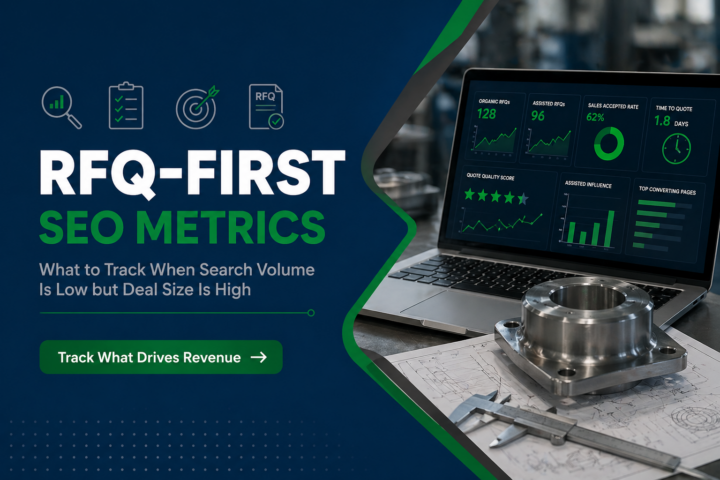
- Pipeline influence: opportunities with nurture touches in the contact timeline
- Meeting rate: booked meetings per nurture stream and per segment
- Reactivation rate: dormant leads that re-engage and progress to MQL/SQL
- Velocity impact: time from first touch to RFQ to opportunity (by segment)
- Sales acceptance rate: MQL to SQL conversion and rejection reasons
Keep segmentation honest: if one stream drives meetings but another drives RFQs, that’s not a problem, it’s insight.
What to expect from a lifecycle workflow audit
A strategy-first lifecycle audit should produce a clear execution roadmap:
- Lifecycle stages and definitions
- Segmentation model (fields required, source of truth, data hygiene)
- Workflow map (triggers, branches, exit criteria, suppression rules)
- Sales alignment (routing, SLAs and feedback loops
- Measurement plan
That’s the blueprint that turns automation into an actual revenue system.
If your follow-up is inconsistent, your database is noisy, or sales says “these leads aren’t ready,” automation isn’t the answer by itself, automation plus lifecycle design is.